오늘은 코드카타 1개 제출과 분반 수업을 하였다.
문자열 내 마음대로 정렬하기
AI의 도움을 받았다.
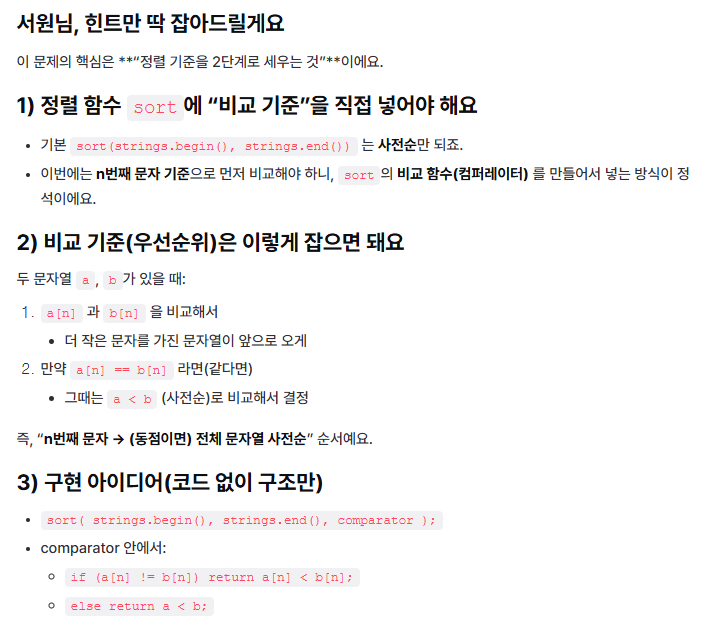
#include <string>
#include <vector>
#include <algorithm>

using namespace std;

int gN;

bool cmp(const string& a, const string& b)
{
    if (a[gN] != b[gN])
    {
        return a[gN] < b[gN];
    }

    return a < b;
}

vector<string> solution(vector<string> strings, int n)
{
    gN = n;

    sort(strings.begin(), strings.end(), cmp);

    return strings;
}
오늘의 분반수업에서 배운 내용
더보기
void APlayerCharacterBase::CameraInitialization()
{
	bUseControllerRotationYaw = false; //좌우 콘트롤 기본값을 false로 만든다.

	UCharacterMovementComponent* MoveComp = GetCharacterMovement();
	if (MoveComp)
	{
		MoveComp->bOrientRotationToMovement = true;
	}

	SpringArm = CreateDefaultSubobject<USpringArmComponent>(TEXT("SpringArm"));
	if (SpringArm)
	{
		SpringArm->SetupAttachment(RootComponent);
		SpringArm->SetWorldLocation(FVector(0, 0, 40));
		SpringArm->TargetArmLength = 250;
		SpringArm->SocketOffset = FVector(0, 40, 0);
		SpringArm->bUsePawnControlRotation = true; //콘트롤 로테이션의 기본값을 true로 만든다.
	}

	Camera = CreateDefaultSubobject<UCameraComponent>(TEXT("Camera"));
	if (Camera)
	{
		Camera->SetupAttachment(SpringArm);
	}
}
void APlayerCharacterBase::Look(const FInputActionValue& Value)
{
	FVector2D LookAxisVector = Value.Get<FVector2D>();
    //벡터 축에 벡터로부터 가져온 가치를 가져와 대입한다.
	AddControllerYawInput(LookAxisVector.X * GetWorld()->DeltaTimeSeconds * mouseSpeed);
    //좌우 입력을 벡터 축 X의 주소값에서 가져오고 거기에 시간과 마우스 스피드를 곱한다.
	AddControllerPitchInput(LookAxisVector.Y * GetWorld()->DeltaRealTimeSeconds * mouseSpeed);
    //상하 입력을 벡터 축 Y의 주소값에서 가져오고 거기에 시간과 마우스 스피드를 곱한다.

}
'TIL' 카테고리의 다른 글
| 2/11일자 TIL (0) | 2026.02.11 |
|---|---|
| 2/10일자 TIL (0) | 2026.02.10 |
| 2/06일자 TIL (0) | 2026.02.06 |
| 2/05일자 TIL (0) | 2026.02.05 |
| 2/04일자 TIL (0) | 2026.02.04 |